

- Requires minimal development effort
- Supports both desktop and mobile browsers
- Supports multi-language UI
- Is maintained and secured by QFPay
UI Preview
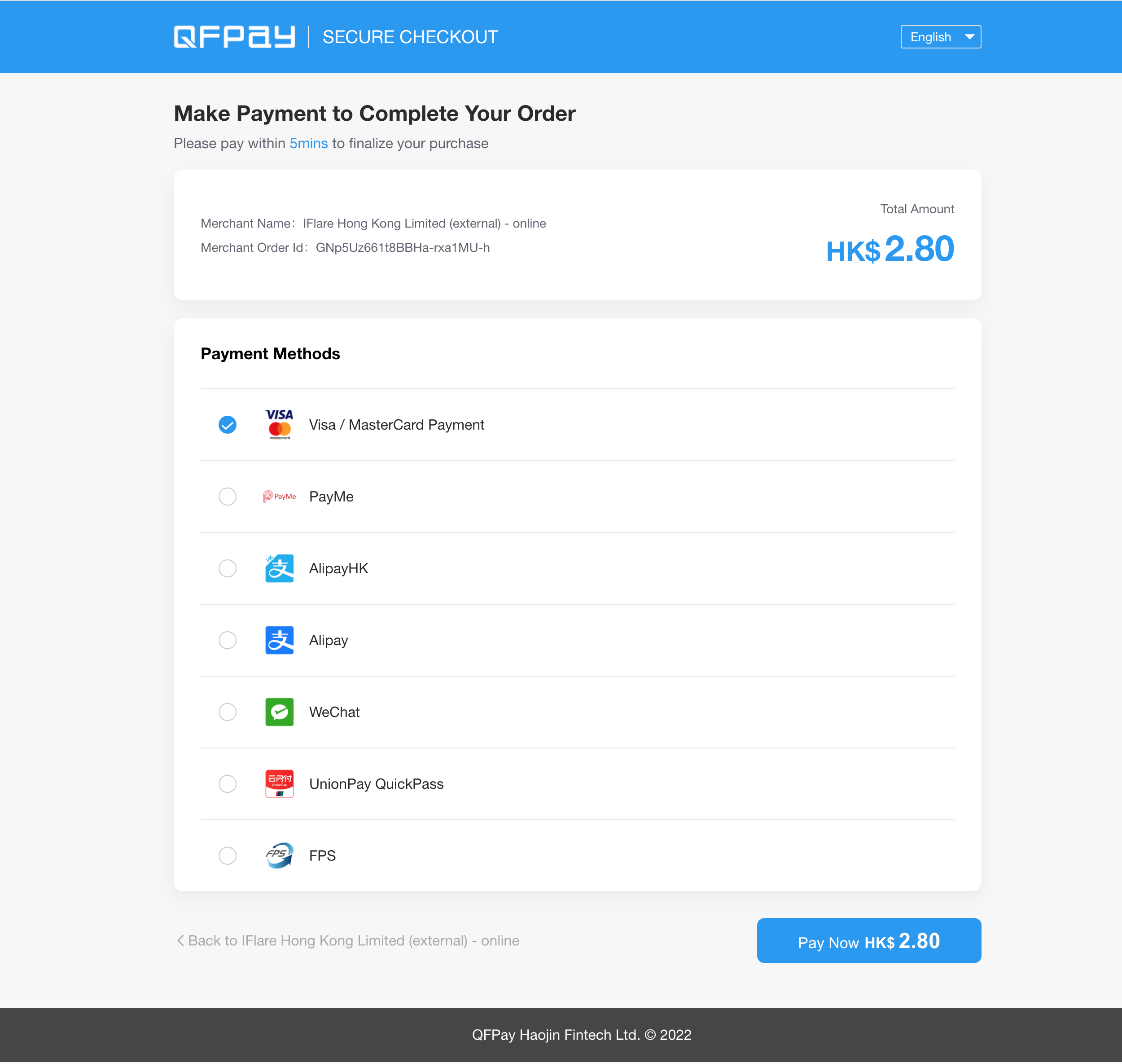
Customisation Options
Merchants can customise selected aspects of the hosted checkout page to better match their brand identity and business requirements. Customisations are configured by QFPay Technical Support. The following customisations are currently supported:1. Payment Methods
- Configure which payment methods or wallets are displayed
- Set the default display order of payment methods
2. Branding & Visual Appearance
- Browser favicon (tab icon)
- Page logo
- Header background colour
- “Pay Now” button colour
- Selected page styling (such as brand colours and visual elements)
3. Content & User Experience
- Payment instructions or informational messages (for example, payment guidance, customer service information, or policy notices)
- Return button text and redirect behaviour (such as the destination and label of the Back button)
How to Request Customisation
To request checkout customisation, please provide the following information to technical support:app_codeclient_key- Detailed customisation requirements
- Brand assets (logo files, colour codes, etc.)
Static Asset Requirements
Please ensure all submitted branding assets follow the specifications below:PC Logo
- Height: 40px
- No horizontal padding (no blank space on left or right)
WAP Logo (Mobile)
- Height: 25px
- No horizontal padding
Favicon
- Size: 15 × 15 px
PNG format with transparent background is recommended.
Environment Notice
For environment details, refer to: Environment DocumentationProcess Flow

- Customer proceeds to checkout on the merchant website
- Merchant redirects the customer to the QFPay hosted checkout page
- Customer selects a payment method and completes payment
- Customer is redirected back to the merchant website
AlipayHK: app-to-wallet handoffThe AlipayHK H5 intermediate page is managed by AlipayHK. Standard website checkout generally requires no additional changes.If you open Hosted Checkout inside an iOS or Android app, your app may need to support the handoff from its in-app browser/WebView to the AlipayHK wallet:
- Follow AlipayHK’s official iOS and Android examples.
- Handle the applicable wallet URL schemes and provide a fallback if the wallet cannot open.
- Test the complete payment flow on both platforms.
API Request
Endpoint
TEXT
Method
TEXT
Request Parameters
Creating a Checkout Order
Each
out_trade_no must be unique to prevent duplicate transactions.client_key, then redirect the customer to the constructed checkout URL.
Example: Signature & Redirect
JavaScript
Important Notes
- Always generate signatures on your server in production.
- Never expose your
client_keyin frontend code. - Ensure your
notify_urlaccepts POST callbacks. - It is recommended to verify final transaction status using the Transaction Enquiry API.