

The customer presents a dynamic barcode from their wallet app, and the merchant scans it to initiate payment. This mode is designed exclusively for offline, face-to-face transactions (e.g. retail stores, restaurants, physical POS terminals).
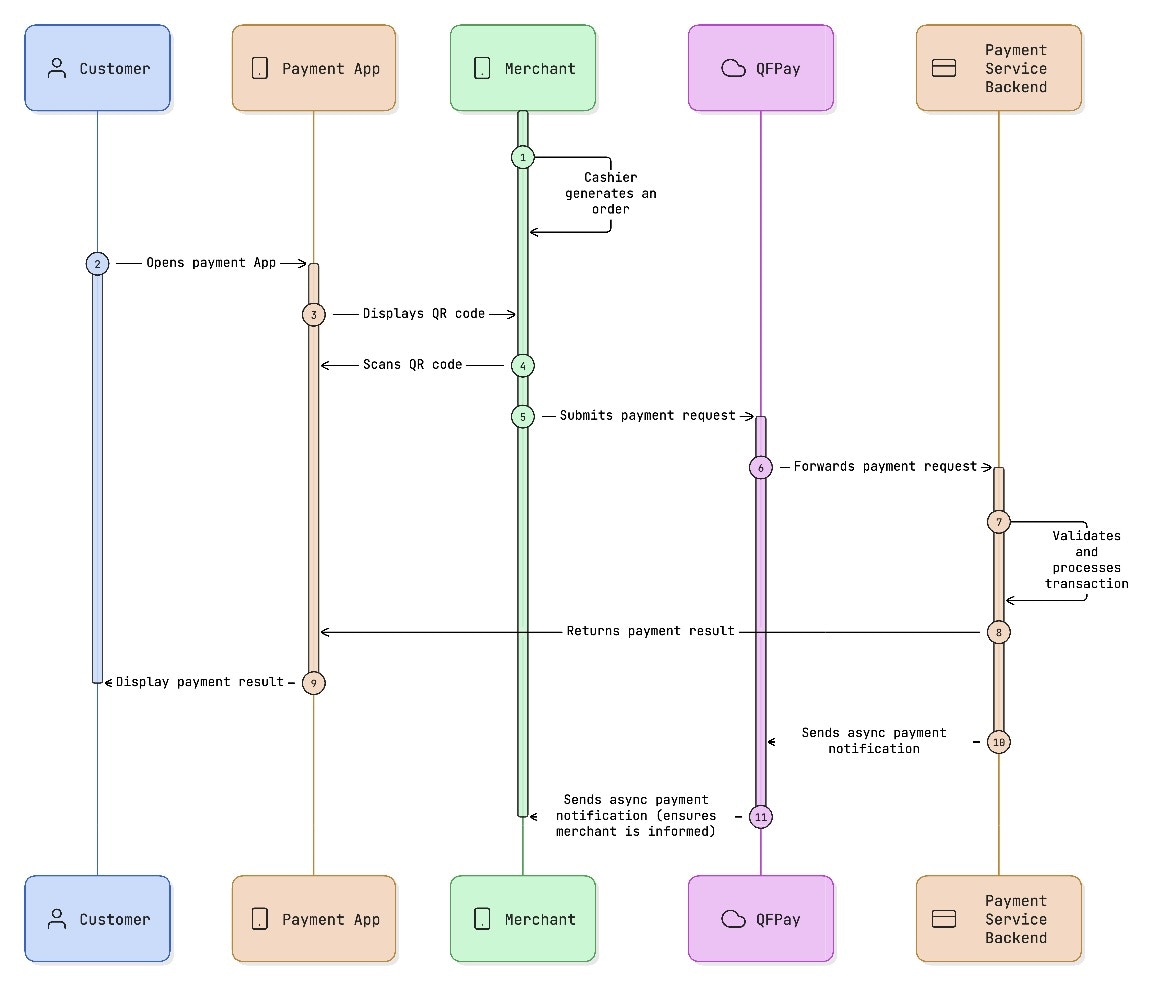
When to Use CPM
Use CPM when:- The customer is physically present
- The customer displays a wallet barcode
- The merchant scans the barcode using a POS device or scanner
- Immediate payment confirmation is required
API Endpoint
Endpoint :/trade/v1/paymentMethod :
POST
Supported PayTypes
Request Parameters
Example Request
HTTP
Example Response
JSON
Response Behaviour
respcd indicates transaction result:
0000→ Payment successful1143or1145→ Transaction is still processing
1143 or 1145 is returned:
- The customer may still be entering their password
- The wallet provider may still be confirming the payment
- The transaction is not final
Integration Notes
- CPM is synchronous but may return a processing state (
1143/1145). - Always treat
1143/1145as pending, not failure. - Do not immediately retry a payment if processing is returned.
- Use Transaction Enquiry to confirm final status.
- Store the QFPay Transaction ID (
syssn) for reconciliation. - Implement idempotency using your
out_trade_no.