> ## Documentation Index
> Fetch the complete documentation index at: https://sdk.qfapi.com/llms.txt
> Use this file to discover all available pages before exploring further.
# Apple Pay 支援
> 本文件說明 QFPay Checkout 與 Payment Element 的 Apple Pay 支援範圍、裝置相容性,以及在不支援裝置上的 QR Code 付款模式。
## 簡介
QFPay **Checkout** 與 **Payment Element** 均支援 Apple Pay 作為嵌入式支付選項。\
商戶需先在 QFPay 後台完成 Apple Pay 啟用與相關設定,消費者才能在支援裝置上選用 Apple Pay 付款。
Apple Pay 通常可帶來以下效益:
* 減少輸入卡資料的摩擦,提高結帳轉換率
* 由 Apple Pay 進行裝置端驗證,有助提升授權成功率
* 更一致的使用者結帳體驗(特別在 iOS / macOS)
***
## 支援裝置與環境
Apple Pay 可在以下環境使用:
* iPhone、iPad(支援 Apple Pay 的瀏覽器 / App WebView)
* Mac(Safari)
* 不支援 Apple Pay 的裝置(例如 Windows 桌機)可使用 **QR Code 掃碼模式**(見下方)
Android 裝置不支援 Apple Pay。\
若使用者於 Android 裝置開啟結帳頁面,Apple Pay 按鈕會自動隱藏。
***
## QR Code 付款模式(不支援裝置)
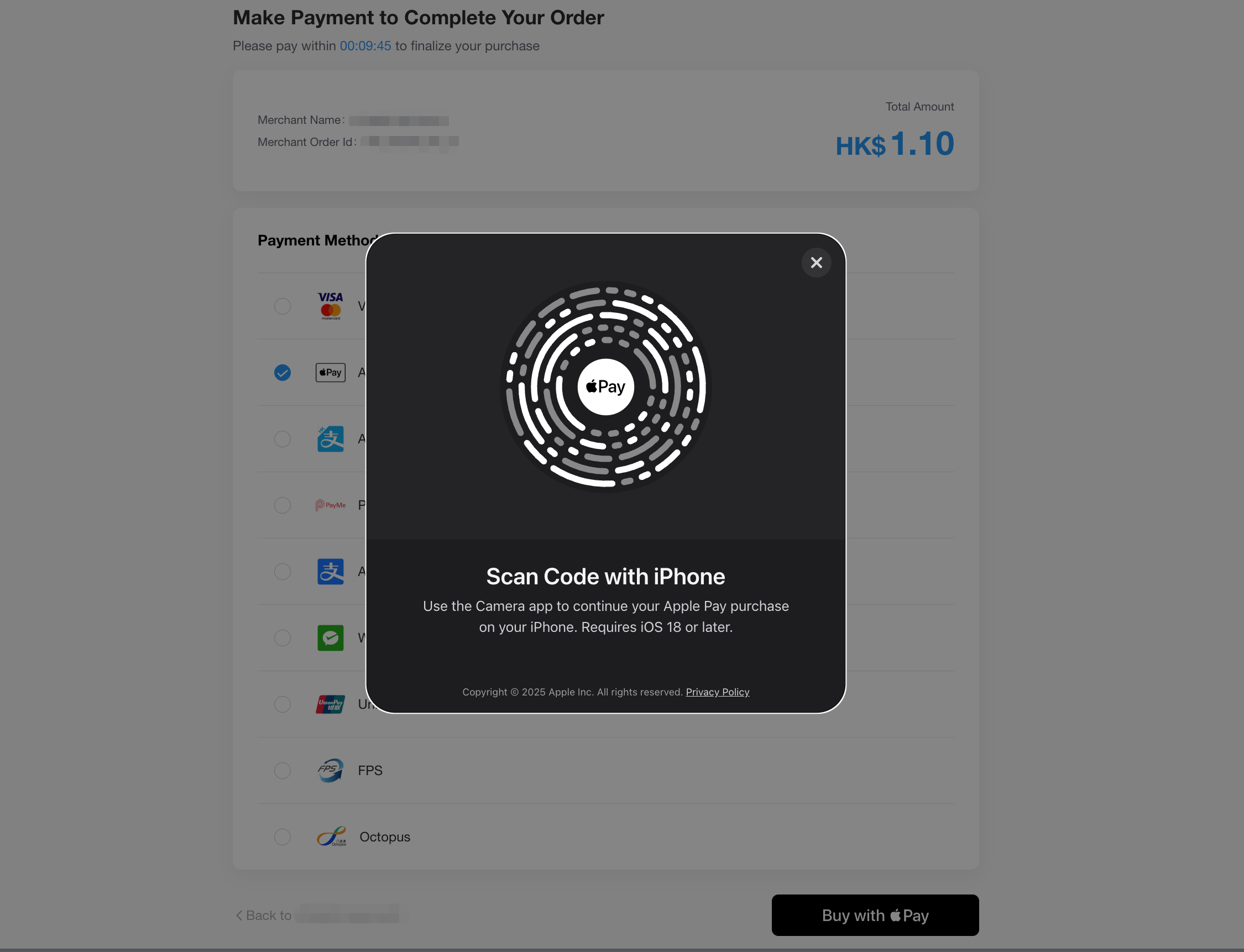
當使用者裝置不支援原生 Apple Pay(例如 Windows 桌機或不支援 Apple Pay 的瀏覽器)時,系統可自動顯示 QR Code。\
使用者可使用支援 Apple Pay 的 iPhone 或 iPad 掃描 QR Code 完成付款。
### 使用限制
若使用者的 Apple Store 區域或系統語言設定為 **中國大陸**,QR Code 付款模式可能無法使用。
QR Code 付款模式需使用支援 Apple Pay 的 iPhone / iPad 掃碼完成付款。\
(iOS 版本門檻請以 Apple 最新官方要求為準。)
***
## 範例截圖