> ## Documentation Index
> Fetch the complete documentation index at: https://sdk.qfapi.com/llms.txt
> Use this file to discover all available pages before exploring further.
# Apple Pay Support
## Introduction
QFPay Checkout and Payment Element SDK both support Apple Pay as an embedded payment option. Merchants must first enable this payment method in the QFPay backend before customers can use it.
Apple Pay helps improve authorisation rates and streamlines the checkout experience on Apple-supported devices.
***
## Supported Devices
Apple Pay is available on:
* iPhone
* iPad
* Mac (via Safari)
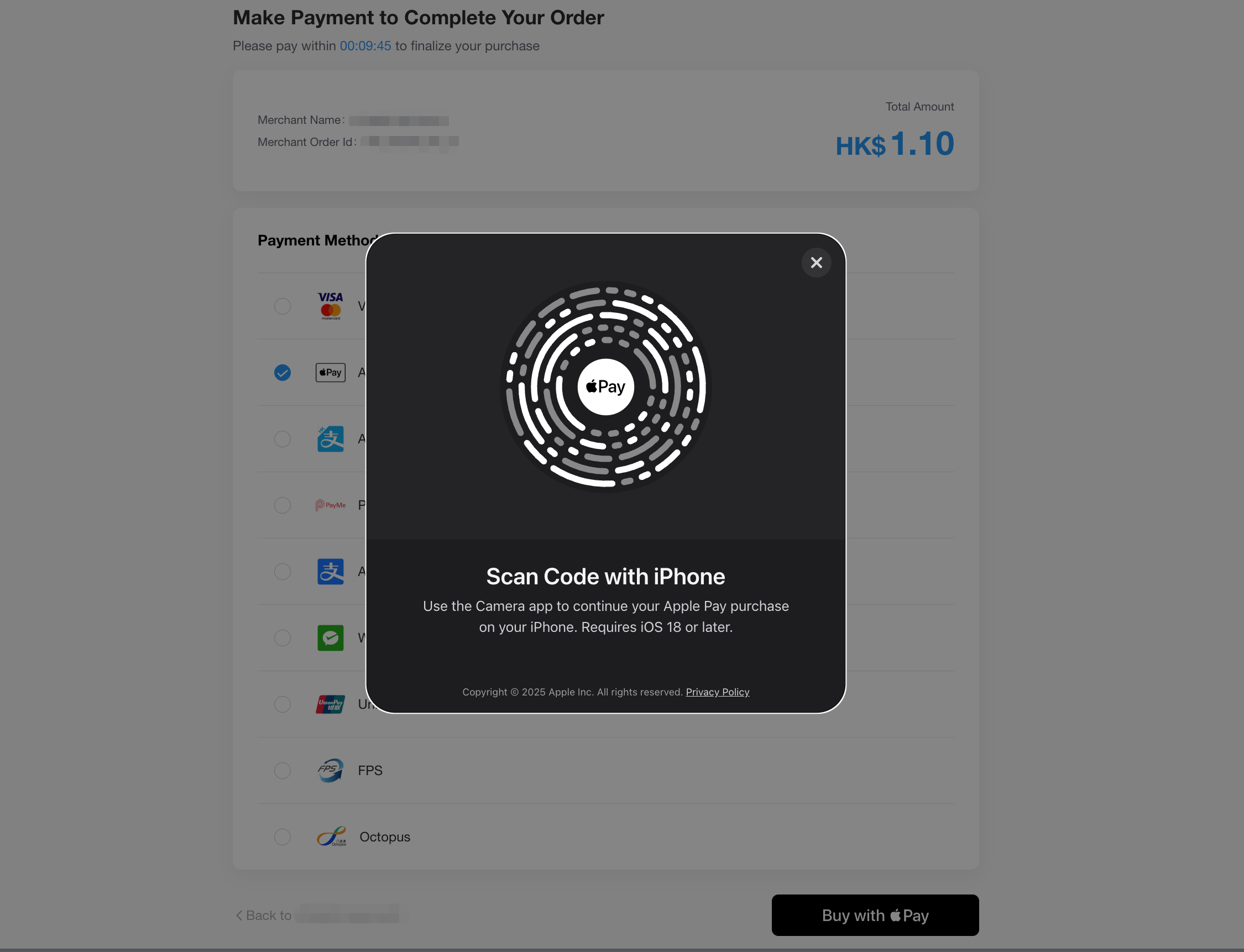
* Third-party browsers on Windows and other platforms (via QR Code mode)
Apple Pay is **not supported on Android devices**.\
If a customer selects Apple Pay on an unsupported device, the Apple Pay button will be hidden automatically.
***
## QR Code Payment Mode
If the customer is using a device that does not support Apple Pay natively—such as a Windows desktop—a **QR code** will be displayed automatically.
The customer can scan this QR code using a supported iPhone or iPad (iOS version ≥ 18) to complete the payment securely.
This feature is **not available** if the customer's Apple Store region or device language is set to mainland China.